0 ratings






Item #:
107024731
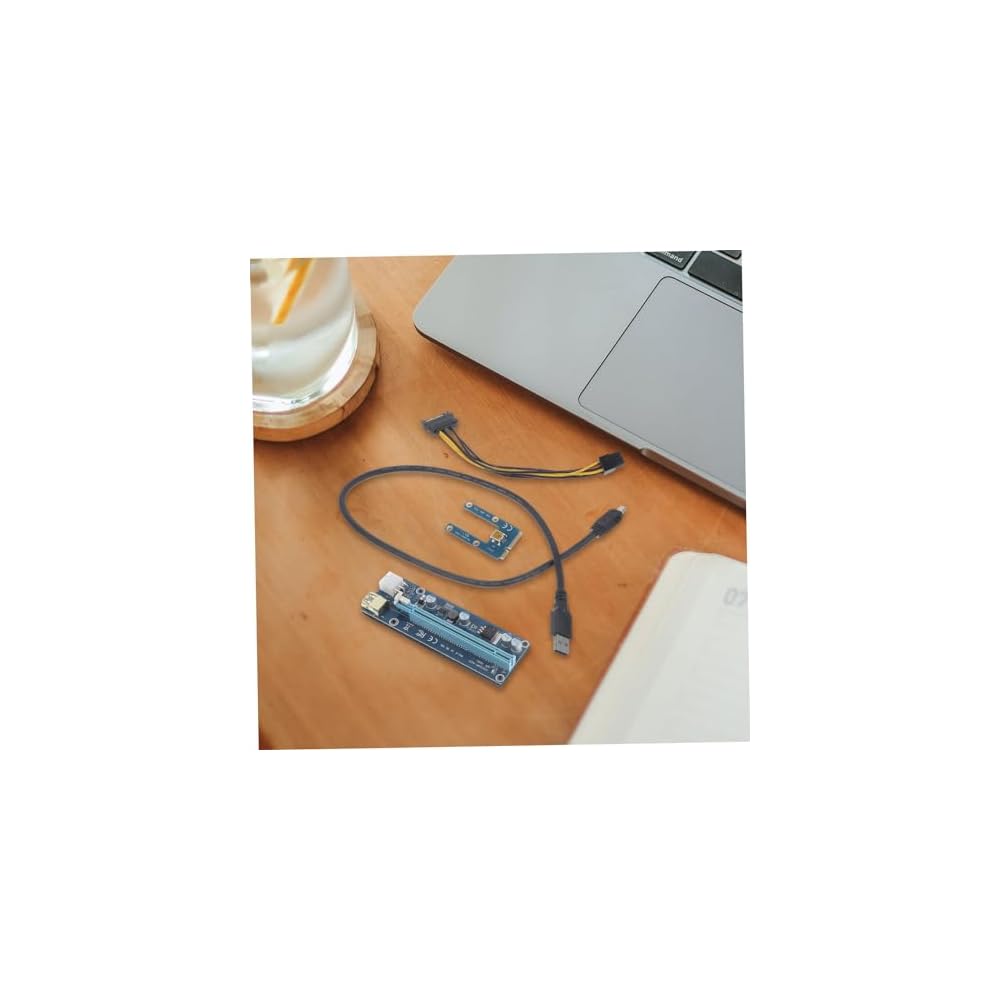
External Gpu Adapter for Laptop Pci Pci Converter USB Cable Gaming and Graphics Performance Compatible Laptops
Item #:
107024731
JMD 4507
Price Details
Excluding Shipping & Custom charges ( Shipping and custom charges will be calculated on checkout )
*All items will import from US
0 ratings
Write a review
In stock
 Imported from USA store
QTY:
Order now and get it around Sunday, July 19
Secured transaction
Ubuy works hard to protect your security and privacy. Our advanced payment security system ensures confidentiality by encrypting your information during transmission using AES (Advanced Encryption Standards) and SSL (Secure Socket Layer) protocols. Your payment details are 100% secure as we do not share your payment details with third party sellers.
Our Top Logistics Partners


Designed to enhance your experience by providing seamless and immersive visual effect.

Fast
Shipping

Free
Return*

Secure Packaging

100% Original Products

PCI DSS Compliance

ISO 27001 Certified


What Stands Out
Enhanced Graphics
Transform your laptop into a gaming powerhouse with external GPU support, delivering superior graphics performance for an immersive gaming experience and seamless multitasking.
Easy Integration
Easily connect an external GPU with a simple setup process, providing immediate compatibility with MSI gaming laptops while efficiently increasing overall performance.
Versatile Connectivity
Compatible with various components including GPU riser cables and network cards, offering flexibility for upgrades and future-proofing your laptop's capabilities.
Product Details
- External graphics card:the mini external graphics card provides a convenient and quick connect laptops to external monitors and peripherals, making it easy to expand the functionality of your laptop,gpu
- External gpu for :whether you're a gamer or a multimedia enthusiast, this adapter is designed to enhance your experience by providing seamless and immersive visual effect, case
- External gpu:with its easy-to-use design, this adapter allows you to connect external displays and peripherals with ease, making it a for anyone who needs to expand their laptop's capabilities,gaming gpu
- Egpu:enhances the visual experience by providing a larger and more immersive display,laptop with graphics card
- Laptop with gpu:enhances the graphics processing capability and expandability of your laptops,laptop gpu
| Hardware Interface | PCI Express 3.0 |
| Compatible Devices | iPhone 4S |
| Total Usb Ports | 1 |
| Number of Ports | 1 |
| Total Number of HDMI Ports | 1 |
| Wattage | 1 watts |
| Item Dimensions L x W x H | 5.12"L x 5.12"W x 5.12"H (13 x 13 x 13 cm) |
| Item Weight | 0.19 Pounds (90 grams) |
| Color | As Shown |
| Brand | MOLUCKFU |
| Manufacturer | MOLUCKFU |
| Model Number | 12Q0SM143154E1UA |
| Mfr Part Number | 12Q0SM143154E1UA |
| Item Type Name | electronicdevicedockingstation |
| Total USB Ports | 1 |
| Product Dimensions (L x W x H) | 5.12"L x 5.12"W x 5.12"H (13 x 13 x 13 cm) |
| Total HDMI Ports | 1 |
Who Should Buy?

-
Gamers on the Go
Ideal for gaming enthusiasts who need portable graphics boosting for better gaming experiences on laptops.
-
Content Creators
Perfect for video editors and graphic designers requiring extra GPU power for intensive rendering and processing tasks.
-
Tech Savvy Users
Great for users comfortable with technology looking to upgrade existing laptop capabilities with external GPU support.

-
Casual Users
Not suitable for users with basic computing needs who do not require enhanced graphics performance.
-
Budget-Conscious Buyers
May not be ideal for those who are looking for a cost-effective solution for basic gaming or graphics tasks.
-
Non-technical Users
Less recommended for those unfamiliar with hardware setup or who prefer plug-and-play simplicity.
Product Description
Have any Query? Chat with us
Customer Questions & Answers
-
Question:
What is an E to PCI-e external graphics card?
Answer: An E to PCI-e external graphics card is a device that allows laptops to connect to a more powerful desktop-style graphics card via an external interface. This setup enhances the laptop's graphical capabilities, making it suitable for gaming, graphic design, and computational tasks. By using a PCI-e slot, it leverages the full potential of modern graphics technology, transforming a laptop into a more versatile workstation, particularly beneficial for users who require heavy processing power, such as miners or gamers. -
Question:
How do I install an E to PCI-e external graphics card onto my laptop?
Answer: To install an E to PCI-e external graphics card, connect the external enclosure housing the graphics card to your laptop's compatible port, such as Thunderbolt or USB-C. Once connected, install any necessary drivers or software required by the graphics card for optimal performance. This process allows you to offload graphics work from your laptop's integrated GPU, significantly boosting performance in intensive tasks, making it ideal for gamers and mining setups. -
Question:
Can any laptop use an E to PCI-e external graphics card?
Answer: Not all laptops can utilize an E to PCI-e external graphics card. Compatible laptops typically have a Thunderbolt 3 or USB-C port that supports PCI-e protocols. Users should verify their laptop specifications to ensure compatibility, particularly for gaming or mining performance enhancements. If you own a laptop with the right ports, you can easily extend its capabilities and enjoy superior graphics performance for demanding applications. -
Question:
What are the benefits of using an external graphics card for laptop gaming?
Answer: Using an external graphics card allows gamers to enjoy enhanced graphics performance without needing to invest in a new gaming laptop. It provides access to advanced graphics technology, offering smoother frame rates and improved visual details in games. Additionally, it allows users the flexibility to upgrade their graphics capabilities easily without replacing the laptop, perfect for gamers who want both portability and power. -
Question:
Is an external graphics card effective for Bitcoin mining?
Answer: Yes, an external graphics card can be effective for Bitcoin mining, especially if it is a high-performance model. It allows you to harness the processing power of a desktop GPU externally, which is typically more powerful than the integrated graphics in laptops. This configuration is beneficial for those who seek to maximize their mining productivity while maintaining the convenience of a laptop setup, making it suitable for both casual miners and serious cryptocurrency enthusiasts. -
Question:
What features should I look for in an E to PCI-e external graphics card?
Answer: When selecting an external graphics card, focus on the GPU's capabilities, memory size, connectivity options, and compatibility with your laptop. Look for models with sufficient VRAM for gaming or mining and check if it uses a PCI-e Gen 3.0 or higher to ensure reliable performance. Consider the power supply requirements, as some high-end graphics cards may need additional power connectors, making it essential for prospective buyers to assess their needs thoroughly. -
Question:
How do I choose the right graphics card for my needs?
Answer: Choosing the right graphics card should depend on the primary tasks you plan to perform. For gaming, select a card with high FPS performance and VRAM to handle modern titles. For mining, focus on hash rates and energy efficiency. It’s also wise to consider future-proofing; investing in a more powerful GPU can benefit you long-term as software requirements increase. This tailored approach ensures that users maximize their investment based on their usage scenarios. -
Question:
Are there any limitations to using an external graphics card?
Answer: Yes, while external graphics cards provide notable performance enhancements, there are limitations. They can be slightly slower than a direct PCI-e connection inside a desktop PC due to bandwidth limitations of the connection interface. Additionally, not all laptop applications may fully utilize the GPU's power. However, for most gaming and mining applications, these limitations are often outweighed by the benefits of additional graphical capabilities. -
Question:
Can I use an external graphics card setup for video editing?
Answer: Absolutely, an external graphics card is an excellent solution for video editing. It provides substantial rendering power, enabling smoother playback and faster processing of high-definition video projects. With an enhanced GPU, video editing software can operate more efficiently, allowing for real-time editing and faster exports. This makes it an invaluable tool for professionals and creators looking to boost their productivity. -
Question:
Where can I buy E to PCI-e External Graphics Card for Laptops Pcie Mining Graphics Card Computer Accessories in Jamaica?
Answer: You can purchase the E to PCI-e External Graphics Card for Laptops Pcie Mining Graphics Card Computer Accessories from Ubuy in Jamaica. Ubuy offers a wide range of computer accessories, ensuring you find the right external graphics card for your laptop needs. Their reliable service and product offerings make it a convenient option for tech enthusiasts looking to enhance their setups.
MOLUCKFU Graphics Cards 12Q0SM143154E1UA Editorial Review
No editorial reviews found
Customer Reviews & Ratings
1 customers ratings
-
5 Star
100%
-
4 Star
0%
-
3 Star
0%
-
2 Star
0%
-
1 Star
0%
Review this product
Share your thoughts with other customers
Pros
- High performance for gaming
- Easy installation process
- Supports multiple GPU models
- Compact and portable design
- Versatile connectivity options
Cons
- Limited compatibility with some laptops
Product Price History
Important information
- Limitations : For products shipped internationally, please note that any manufacturer warranty may not be valid; manufacturer service options may not be available; product manuals, instructions, and safety warnings may not be in destination country languages; the products (and accompanying materials) may not be designed in accordance with destination country standards, specifications, and labeling requirements; and the products may not conform to destination country voltage and other electrical standards (requiring use of an adapter or converter if appropriate). The recipient is responsible for assuring that the product can be lawfully imported to the destination country. When ordering from Ubuy or its affiliates, the recipient is the importer of record and must comply with all laws and regulations of the destination country.
- Not all the products listed on Ubuy are for sale, as Ubuy is a global search engine. Products are subject to export/trade regulations.
JMD 4507
Order now and get it around Sunday, July 19
This item is not restrict in my country.(Please click on above link if this item is not restrict in your country, So our team will review and allow.)
QTY:
Secured transaction
Ubuy works hard to protect your security and privacy. Our advanced payment security system ensures confidentiality by encrypting your information during transmission using AES (Advanced Encryption Standards) and SSL (Secure Socket Layer) protocols. Your payment details are 100% secure as we do not share your payment details with third party sellers.
Our Top Logistics Partners
Fastest cross-border delivery
Features & Benefits
- Quickly connect laptops to external monitors and peripherals.
- Enhances experience for gamers and multimedia enthusiasts.
- Easy-to-use design for effortless connectivity.
- Provides a larger, immersive display.
- Increases graphics processing capability.
- Ideal for expanding laptop functionalities.