- Home Page /
- Mobile Phone Accessories /
- Accessories /
- Stylus Pens /
- Galaxy Note 10 S Pen withBluetooth Note 10 Stylus Pen R...
0 ratings




Item #:
108962010
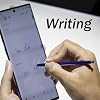
Galaxy Note 10 S Pen withBluetooth Note 10 Stylus Pen Replacement for Samsung Galaxy Note10/ Note 10+ Note 10 Plus and Note 10 5G S Pen(Aura Blue)
Item #:
108962010
JMD 4207
Price Details
Excluding Shipping & Custom charges ( Shipping and custom charges will be calculated on checkout )
*All items will import from US
0 ratings
Write a review
In stock
 Imported from USA store
QTY:
Only 11 items left in stock.
Order now and get it around Thursday, June 25
Secured transaction
Ubuy works hard to protect your security and privacy. Our advanced payment security system ensures confidentiality by encrypting your information during transmission using AES (Advanced Encryption Standards) and SSL (Secure Socket Layer) protocols. Your payment details are 100% secure as we do not share your payment details with third party sellers.
Our Top Logistics Partners


Reply to posts faster and more accurately than others with our Bluetooth-enabled stylus pen!

Fast
Shipping

Free
Return*

Secure Packaging

100% Original Products

PCI DSS Compliance

ISO 27001 Certified


What Stands Out
Bluetooth Functionality
The S Pen features Bluetooth technology, allowing users to control their devices remotely, enhancing productivity and convenience for taking photos, presentations, and navigating apps effortlessly.
Stylus Precision
Designed specifically for Galaxy Note 10 models, the S Pen offers exceptional precision for drawing, writing, and note-taking, providing a natural and responsive experience compared to other stylus options.
Vibrant Design
The Aura Blue finish not only adds elegance but also complements the Galaxy Note 10 aesthetically, making it a stylish accessory while ensuring durability and functionality.
Product Details
- About the Product - Compatible for Samsung Galaxy Note 10/Note 10+ mobile phone,Fits All US Carriers At&t, Verizon, T-Mobile, Sprint, US- Cellular All Model.
- Attention - WithBluetooth, Can control/connect to the phone. WithBluetooth functions, such as taking photos of mobile phone.
- Perfect Replacement - 4096 Levels of Pressure, handwriting,Sketch,and Painting.You can quickly record, draw or edit and all other typical touch-screen commands to improve the service life of your original pen.
- Explain - Instructions/manuals are not included. If you have any questions about our products, please feel free to contact us.
- Package Include- 1x Note 10/Note 10+ (withBluetooth) Stylus Touch Pen.
| Compatible Devices | for Samsung Galaxy Note10/ Note 10+ Note 10 Plus and Note 10 5G |
| Battery Description | Rechargeable Lithium-Ion |
| Item Weight | 0.01 Kilograms |
| Color | Aura Blue |
| Enclosure Material | Plastic |
| Brand | PCTC |
| Model Number | DK_Note10_LanYa_Pen_Lan |
| Are Batteries Included | No |
| Are Batteries Required | No |
| Manufacturer | PCTC |
| Mfr Part Number | DK_Note10_LanYa_Pen_Lan |
| Material | Plastic |
| Batteries Required? | No |
Who Should Buy?

-
Creative Professionals
Ideal for artists and designers who utilize the S Pen for sketching and detailed editing on their Galaxy Note devices.
-
Students and Note-Takers
Perfect for students who take notes or annotate documents directly on their devices, enhancing productivity and organization.
-
Tech Enthusiasts
Great for users who enjoy the latest technology features, including Bluetooth functionalities and enhanced writing experiences.

-
Casual Users
Not suitable for users who rarely use their S Pen, as they may not benefit from its advanced features.
-
Budget-Conscious Buyers
Users seeking cheaper alternatives may find this replacement overpriced for their needs without utilizing its full capabilities.
-
Gaming Focused Users
Gamers may prefer traditional controllers, as the S Pen is not designed for gaming experiences or responsiveness.
Product Description
Have any Query? Chat with us
Customer Questions & Answers
-
Question:
What makes the Galaxy Note 10 S Pen with Bluetooth stand out from regular stylus pens?
Answer: The Galaxy Note 10 S Pen with Bluetooth features advanced functionality, allowing you to control your device remotely. With Bluetooth capabilities, this stylus can be used as a remote shutter for your camera, navigate presentations, and even control multimedia playback. This provides a level of interactivity that enhances the overall smartphone experience, making it ideal for professionals, creators, or anyone looking to maximize their device's utility. -
Question:
Is the Aura Blue color of the S Pen compatible with various phone cases?
Answer: Yes, the Aura Blue color of the S Pen is designed to complement the aesthetic of the Galaxy Note 10 series. Its sleek design and vibrant color work well with a wide variety of phone cases, allowing you to personalize your device. Whether you prefer a clear case to showcase the S Pen or a vibrant design, the Aura Blue stylus maintains its appeal and visibility, ensuring that you can easily locate it when it's time to use. -
Question:
How does the replacement process for the Galaxy Note 10 S Pen work?
Answer: Replacing your Galaxy Note 10 S Pen is a straightforward process. Simply remove your old, non-functional S Pen from the device and insert the new one directly into the S Pen slot. The phone will automatically recognize the new stylus, allowing you to utilize all features, including Bluetooth functionality. This is helpful in avoiding interruptions in your workflow, ensuring you can continue to seamlessly use applications like note-taking or digital art without any hassle. -
Question:
Can I use the Galaxy Note 10 S Pen with other devices?
Answer: The Galaxy Note 10 S Pen is specifically designed for compatibility with the Samsung Galaxy Note10, Note 10+, Note 10 Plus, and Note 10 5G. While some features may work with other devices, the full suite of functionalities, including Bluetooth features, is optimized for Galaxy Note models. This targeted design ensures that users benefit from a dedicated experience tailored to their device, allowing for optimal performance, precision, and usability in tasks like writing or drawing. -
Question:
What are the features included with the Bluetooth S Pen?
Answer: The Bluetooth S Pen offers several innovative features that elevate user interaction. Key functionalities include remote camera shutter control, air gestures for seamless navigation, customizable shortcuts for various apps, and intuitive pressure sensitivity for drawing applications. This means whether you're capturing the perfect photo, navigating your device, or creating digital artwork, the S Pen enhances your creative potential and day-to-day efficiency. -
Question:
How does the Bluetooth connectivity of the S Pen enhance its functionality?
Answer: The Bluetooth connectivity of the S Pen introduces a layer of convenience and interactivity. Users can trigger camera functions from a distance, control presentations without needing to be tethered to their device, or navigate within apps using air gestures. This wireless capability transforms the S Pen from a traditional stylus into a multifunctional tool, making it especially beneficial for professionals and content creators who value efficiency and versatility. -
Question:
Is the S Pen rechargeable, and how long does the battery last?
Answer: Yes, the Galaxy Note 10 S Pen is rechargeable, utilizing a small battery that charges quickly when stored within the phone. A full charge typically lasts for several hours of continuous use or can provide days of standby time. This ensures that the S Pen is always ready when you need it, minimizing disruptions in your workflow and allowing you to focus on creativity and productivity without worrying about battery life. -
Question:
Can the S Pen be used for note-taking and drawing on the Galaxy Note 10?
Answer: Absolutely! The S Pen is designed for both note-taking and drawing. With its pressure sensitivity feature, it can simulate different brush strokes and writing styles, making it an ideal tool for artists, students, and professionals alike. The integration with apps like Samsung Notes and various drawing applications enhances the user experience, allowing for a natural writing and drawing feeling that can replicate pen-on-paper interactions. -
Question:
What do I do if my Galaxy Note 10 S Pen is not working?
Answer: If your Galaxy Note 10 S Pen is not functioning properly, first check to ensure it’s adequately charged and properly connected to your device. Restarting the phone may also resolve minor connectivity issues. If problems persist, consider recalibrating the S Pen through your settings menu or consulting the user manual for troubleshooting steps. This ensures that any functionality can be restored, allowing you to get back to tasks without significant delay. -
Question:
Where can I buy the Galaxy Note 10 S Pen with Bluetooth?
Answer: You can buy the Galaxy Note 10 S Pen with Bluetooth from Ubuy in Jamaica. Ubuy offers a seamless shopping experience, ensuring you can easily find the exact stylus pen replacement you need for your Galaxy Note 10 series devices. Their platform is user-friendly, making it simple to navigate and purchase your desired products with confidence.
PCTC Stylus Pens DK_Note10_LanYa_Pen_Lan Editorial Review
**** The Galaxy Note 10 S Pen replacement has received mixed reviews from users, highlighting both its functionality and some recurring issues associated with its Construction. Many customers praise this stylus for its immediate performance—complimenting its perfect fit and responsiveness when used with the Galaxy Note 10 series. The pen's aesthetics, notably its Aura Blue color, seamlessly matches the original stylus, enhancing user satisfaction upon initial use. However, a significant number of reviews point to durability concerns, particularly focusing on the ejector mechanism. According to some users, the pen may function well for a period, but many have experienced failures where the eject button ceases to work after only a few months. This issue has led some to resort to using makeshift methods to remove the stylus from their device, which can be frustrating. Additionally, users report problems with the Bluetooth connectivity; many have experienced disconnections and difficulties in pairing, prompting a desire for a more reliable option—often leading customers to express regret over not opting for the official Samsung S Pen. While there are positive experiences highlighting the usability of the pen, it is evident that the quality is inConsistent. Some users were pleasantly surprised with their purchase, while others were disappointed when their stylus failed to meet expectations. **
Customer Reviews & Ratings
7 customers ratings
-
5 Star
28%
-
4 Star
44%
-
3 Star
0%
-
2 Star
0%
-
1 Star
28%
Review this product
Share your thoughts with other customers
Pros
- Effortless compatibility with Galaxy Note 10 models
- Attractive design and color matching original S Pen
- Functionality of buttons at initial usability
Cons
- Ejector mechanism prone to failure over time
Product Price History
Important information
- Limitations : For products shipped internationally, please note that any manufacturer warranty may not be valid; manufacturer service options may not be available; product manuals, instructions, and safety warnings may not be in destination country languages; the products (and accompanying materials) may not be designed in accordance with destination country standards, specifications, and labeling requirements; and the products may not conform to destination country voltage and other electrical standards (requiring use of an adapter or converter if appropriate). The recipient is responsible for assuring that the product can be lawfully imported to the destination country. When ordering from Ubuy or its affiliates, the recipient is the importer of record and must comply with all laws and regulations of the destination country.
- Not all the products listed on Ubuy are for sale, as Ubuy is a global search engine. Products are subject to export/trade regulations.
JMD 4207
Order now and get it around Thursday, June 25
This item is not restrict in my country.(Please click on above link if this item is not restrict in your country, So our team will review and allow.)
QTY:
Only 11 items left in stock.
Secured transaction
Ubuy works hard to protect your security and privacy. Our advanced payment security system ensures confidentiality by encrypting your information during transmission using AES (Advanced Encryption Standards) and SSL (Secure Socket Layer) protocols. Your payment details are 100% secure as we do not share your payment details with third party sellers.
Our Top Logistics Partners
Fastest cross-border delivery
Features & Benefits
- Compatible with Samsung Galaxy Note 10/Note 10+.
- Works with all US carriers including AT&T, Verizon, T-Mobile, Sprint, and US-Cellular.
- Bluetooth functionality allows control of your phone and taking photos.
- 4096 levels of pressure sensitivity for handwriting, sketching, and painting.
- Enhances accuracy for browsing and editing tasks.
- Improves the service life of your original pen.